Explore this page
Chrome extension · Available now

Snip · Capture · Extract · Research · Export

Turn webpages, screenshots and images into
Excel, Word and editable text.

Extract a page to Excel in one click, read the text out of any image on screen, rebuild a screenshot as an editable Word document, capture the whole page, and research the company behind it. All of it is live today; Smart Snip reads English and several other languages.

  • Free plan, no card required
  • Real Pulse, not a demo
  • Unlimited extraction, capture and exports from $12 a month
Real Pulse. Free. No card. No subscription.
  • 20 Smart Snips
  • 20 Extractions
  • 20 Captures
  • 10 Professional Exports
  • 1 Research
A storm of webpages, documents, images and media is drawn into the black Pulse prism and leaves it as clean, structured panels of results.
Extract, Research, Capture, Smart Snip and Smart Snip Studio are live today in Pulse Extractor 0.5.8, with editable Word and PowerPoint export.
The workflowSnip→Capture→Extract→Research→Export
Video tutorials

See Pulse in action.

Watch real workflows and see what Pulse can do before you install it.

Pulse Extractor Overview

See Extract, Research, Capture, Smart Snip and Edit in one quick walkthrough.

Start here

New to Pulse? This is the one to watch first.

A short tour of the five core actions in the Pulse Chrome extension and the kinds of files they produce.

Play the overview: Pulse Extractor Overview 0:17

Turn Webpages Into Usable Data

Extract webpage content and turn it into clean, structured information.

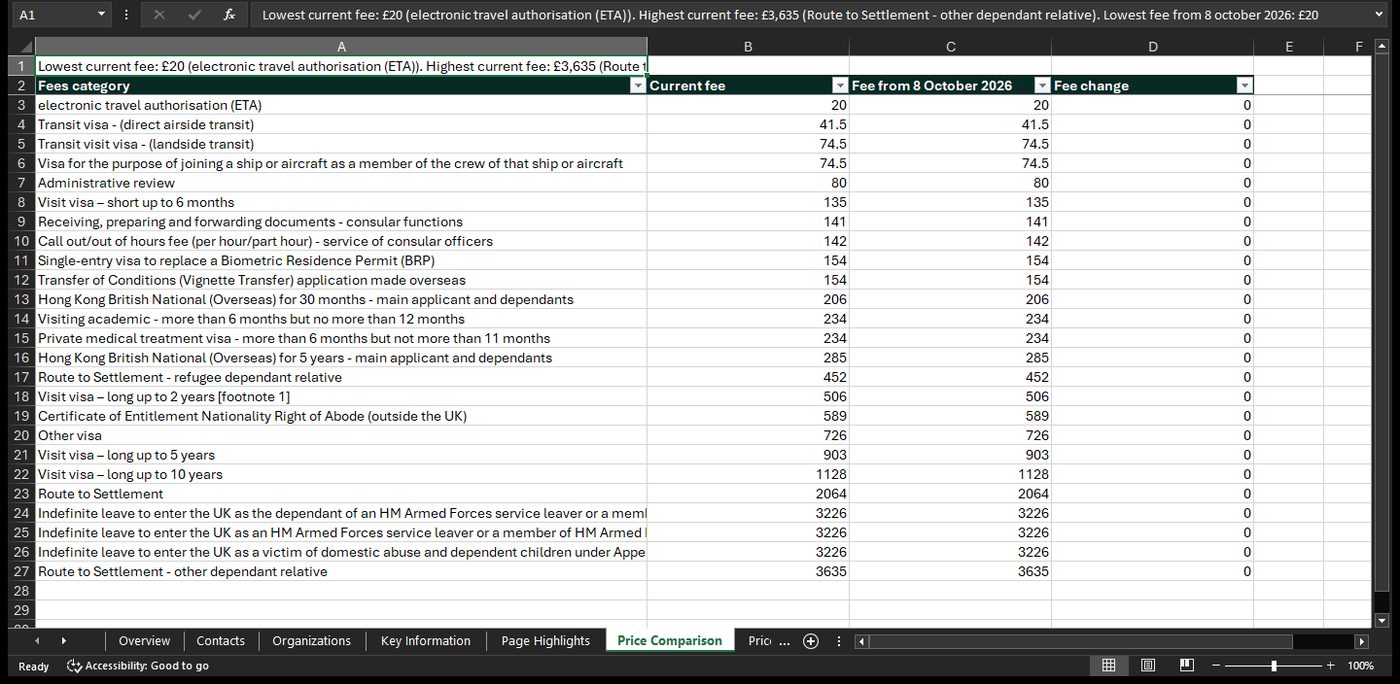
Webpage to Excel

Research Companies & Websites

Gather public evidence and organize it into a structured research result.

Research companies

Video previews do not contact YouTube until you press play. When you play a video, YouTube receives the normal information required to deliver the video. Playback uses YouTube's privacy-enhanced mode.

Live now · 0.5.8
More than extraction

All core actions. One place.

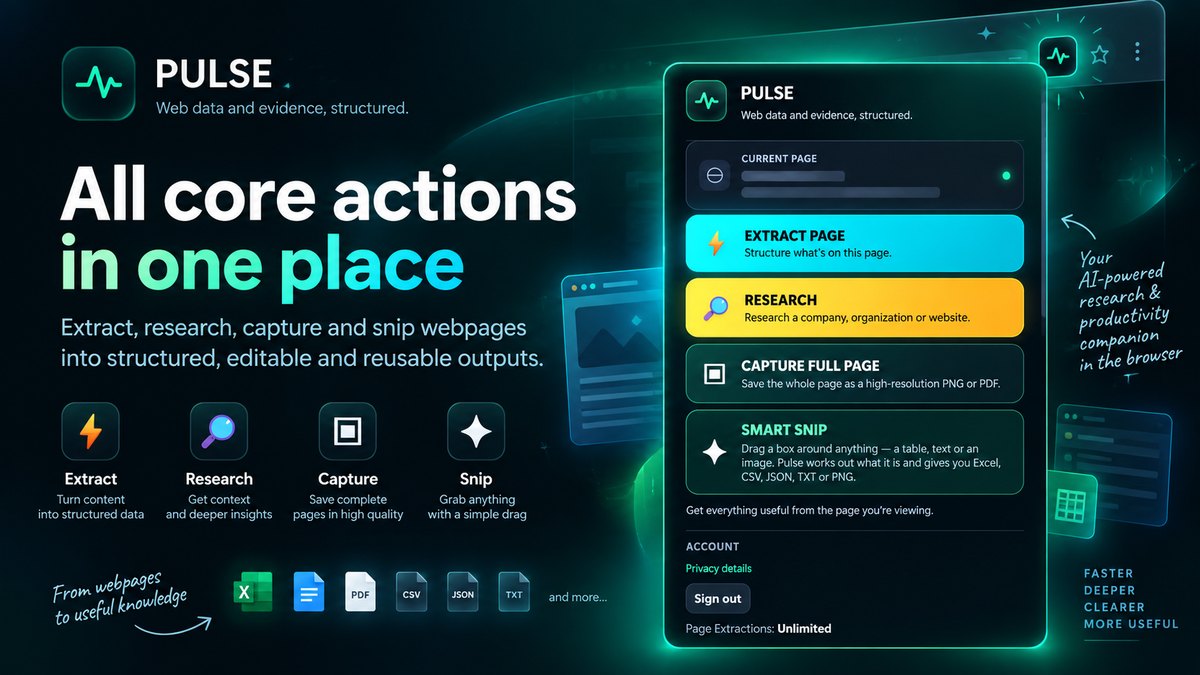
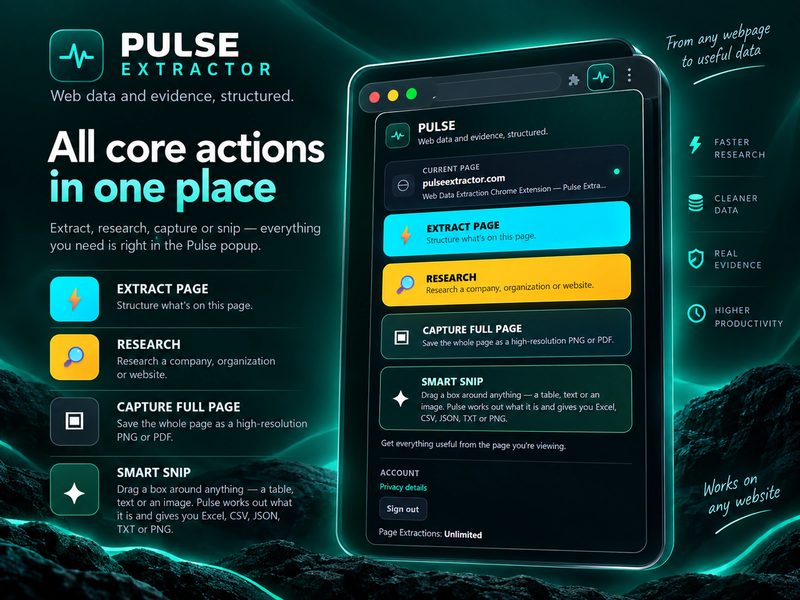
Turn the web into usable work. Extract, research, capture and snip the page you are already looking at, then edit and export it. Pulse Extractor turns it into structured, editable, reusable output from one popup, with no setup per site.

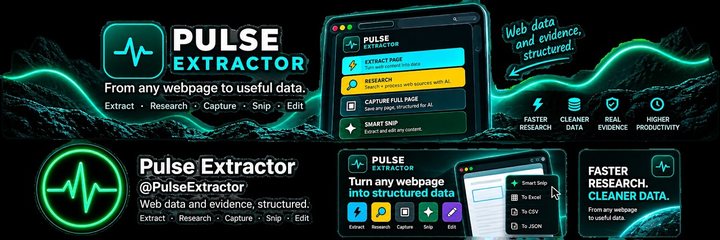
Marketing composite of the Pulse popup listing four actions — Extract Page, Research, Capture Full Page and Smart Snip — with Excel, Word, PDF, CSV, JSON and TXT export chips beneath.
The allowance lines in this picture come from an internal test account; your plan’s limits are on the pricing page.
  • Extract PageStructure what is on this page into sections you can read and export.
  • ResearchLook beyond the page for public evidence about the organization behind it.
  • Capture Full PageSave the whole page, top to bottom, as a high-resolution PNG or a readable PDF.
  • Smart SnipDrag a box around a table, a block of text or an image, and get back the formats that fit.

Pulse is a browser productivity, research and workflow extension. Extraction is one of its actions, not the whole product.

Live now · 0.5.8
Extract Page

Turn the page you are on into structured results

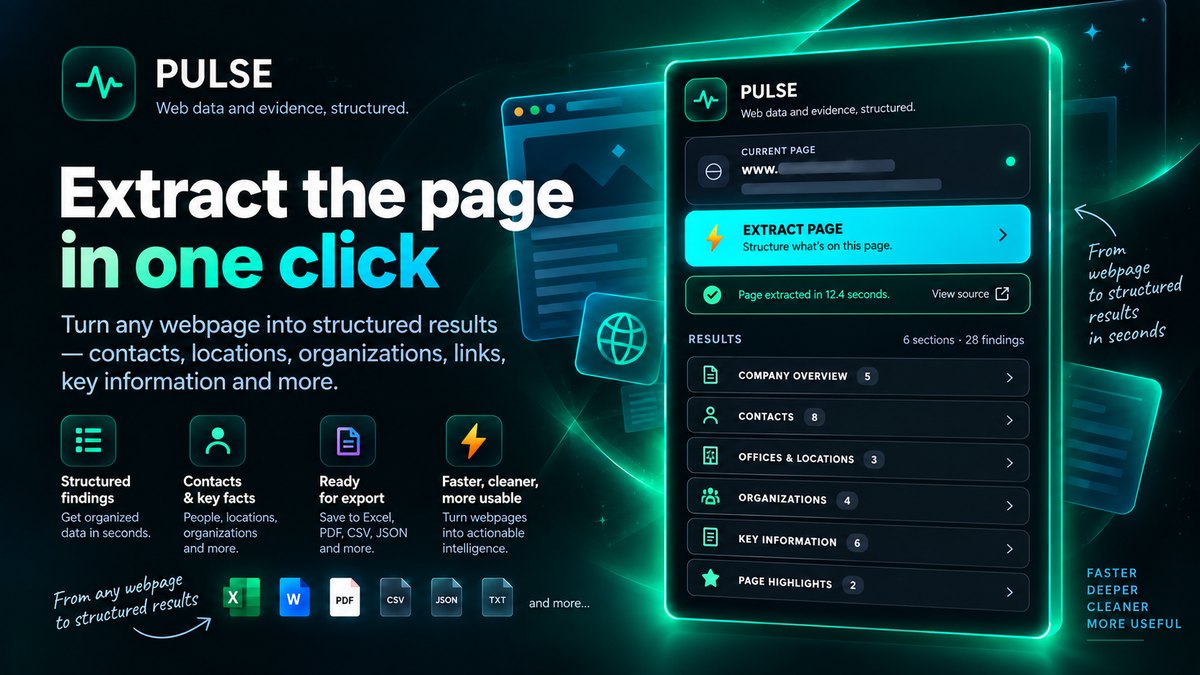
One click reads the page in front of you and organizes what is actually there into sections you can open, copy or export: contacts, offices and locations, organizations, key information and page highlights.

  • Organized, not scrapedNo selectors to configure and nothing to set up per site.
  • Honest by defaultPulse leaves a field blank rather than inventing one.
  • Ready to useDownload a report or copy the result straight out.
Marketing composite of Extract Page: the Pulse popup beside a result grouped into company overview, contacts, offices and locations, organizations, key information and page highlights.

Watch the Extract demo: Turn Webpages Into Usable Data 1:20

See webpage to Excel →

Live now · 0.5.8
Research

Go beyond the current page

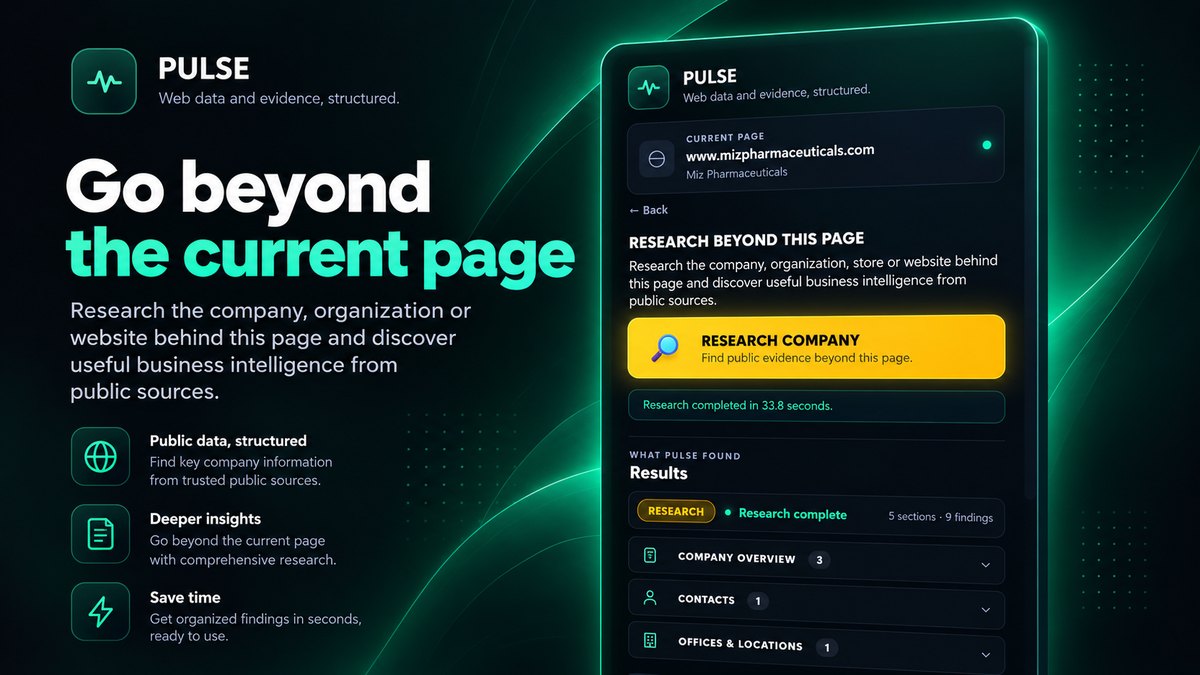
Start from the page you are viewing and Pulse researches the company, organization or website behind it. It reads that organization's own site and wider public sources, then returns a sourced result you can export.

  • Public sources, labelledFindings carry the evidence they came from, not a confident guess.
  • You keep the runA run without enough evidence is never charged.
  • ExportableTake the result away as a professional file.
Marketing composite of Research: a run started from a company website, the time it completed in, and results grouped into company overview, contacts and offices and locations.

Watch the Research demo: Research Companies & Websites 1:24

See company research →

Live now · 0.5.8
Full-Page Capture

Capture the full page in one click

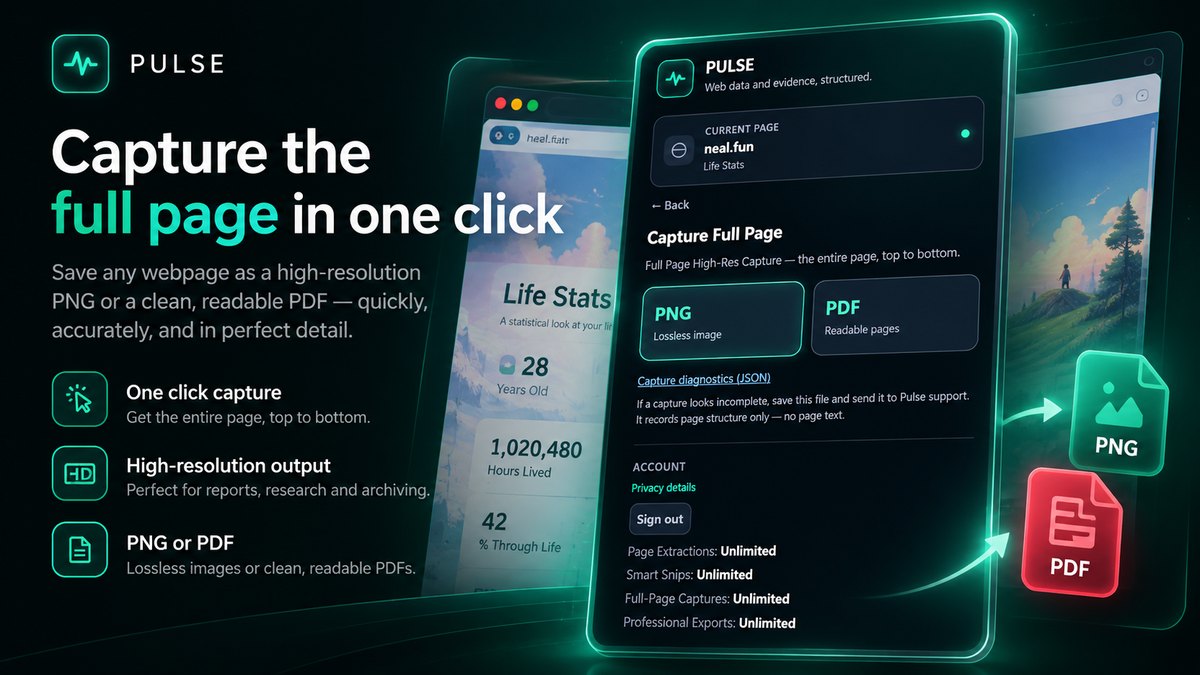
Save any webpage top to bottom as a lossless PNG or a clean, readable multi-page PDF. It suits reports, research and archiving, and the pages that will not print properly.

Marketing composite of Full-Page Capture: the capture panel offering a lossless PNG or a readable PDF, beside a long page being saved end to end.
The allowance lines in this picture come from an internal test account; your plan’s limits are on the pricing page.

Watch the Capture demo: Capture the Entire Webpage 2:30

Live now · 0.5.8
Smart Snip & Studio

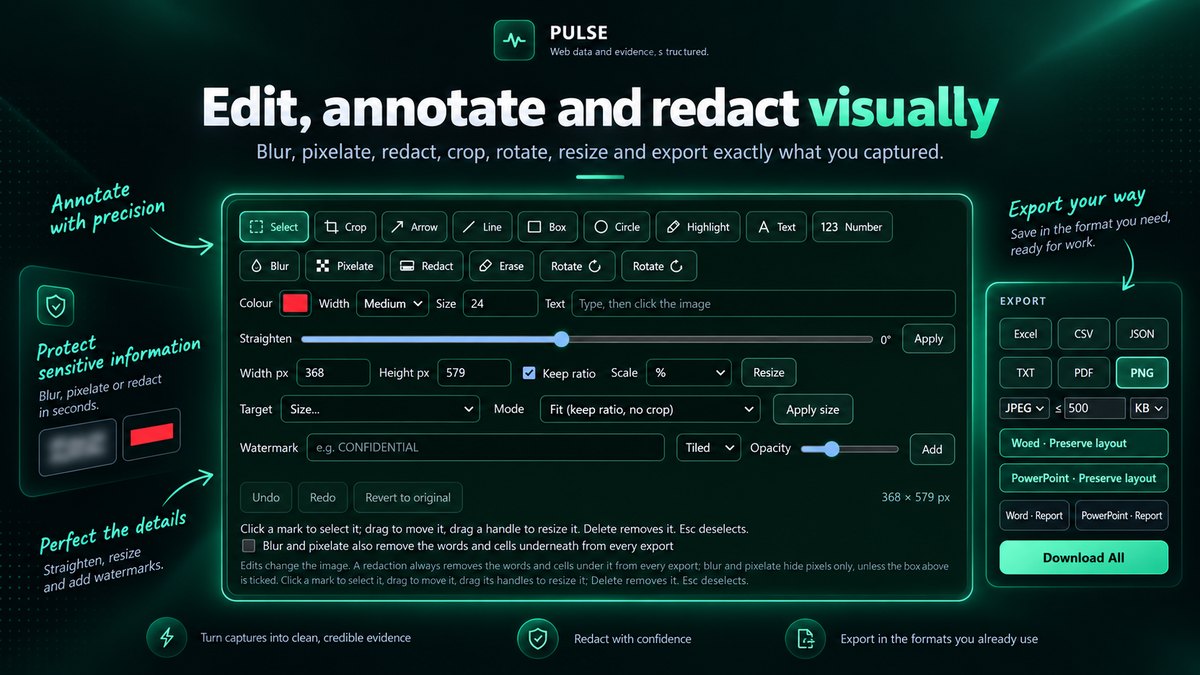
Edit, annotate and redact visually

Drag a box around a table, a block of text or an image and Pulse works out what it is, then hands you the formats that fit. Smart Snip Studio opens the result for editing before you export it.

  • Mark it upCrop, straighten, resize, arrows, boxes, highlight, text and numbering.
  • Protect itBlur, pixelate or redact. Redaction removes the words underneath, not only the pixels.
  • Export itExcel, CSV, JSON, TXT, PDF, PNG, and Word or PowerPoint that preserve the layout.
Marketing composite of Smart Snip Studio: the editor's select, crop, arrow, highlight, blur, pixelate and redact tools, with an export panel offering Excel, CSV, JSON, TXT, PDF, PNG, Word and PowerPoint.

Smart Snip is live in 0.5.8 and reads English and several other languages.

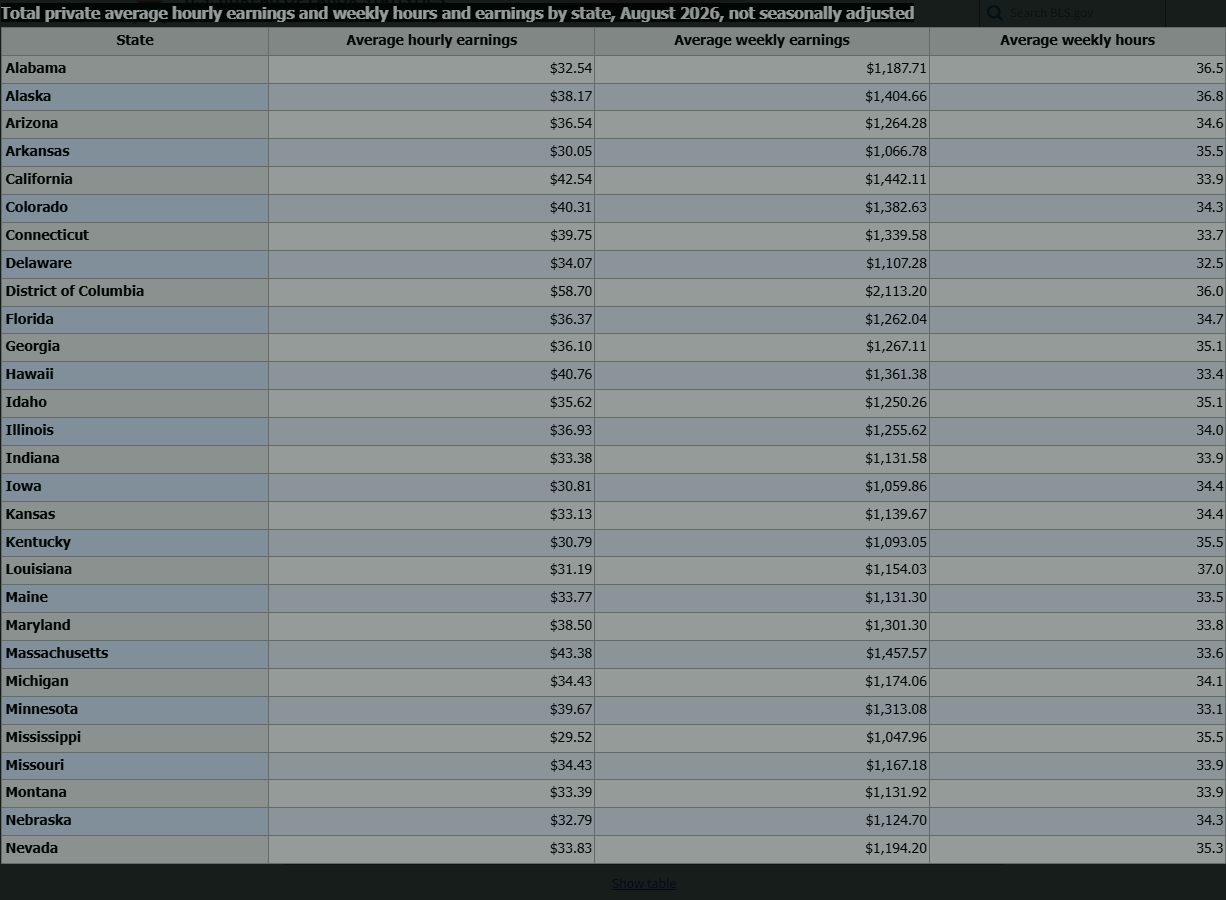
Watch the Smart Snip demo: Scrollable Web Data → Excel 1:15Watch the Edit demo: Edit Before You Export 1:59

Where the time goes

Save hours of repetitive web work.

The copying, pasting and re-typing is the slow part. Most web research time is not reading; it is moving what you read into something you can use. Pulse does that part.

By hand

  • Open the company site, then its contact, locations and projects pages, one tab at a time
  • Copy each fact into a spreadsheet and fix the columns afterwards
  • Screenshot a long page in pieces and stitch them together
  • Re-type a table that was never meant to be copied

With Pulse

  • Extract Page structures the page you are on in one click
  • Research gathers the website and wider public sources into one sourced result
  • Full-Page Capture keeps the whole page as one PNG or PDF
  • Smart Snip turns the table you select into rows and columns
Marketing composite of the Pulse popup with its four core actions: Extract Page, Research, Capture Full Page and Smart Snip.
All four actions live in the Pulse popup. The "Unlimited" line in this picture is the view on Starter, Pro and Intelligence.
Export resultProfessional file formats
Excel (.xlsx)workbook ready to use
Live · 0.5.8
Word (.docx)editable document
Live · 0.5.8
PowerPoint (.pptx)editable slides
Live · 0.5.8
PDF (.pdf)polished report
Live · 0.5.8
CSV clean tabular dataJSON structured dataTXT plain text (Smart Snip)PNG the image itself (Smart Snip)Download All every available file in one ZIP
From result to deliverable

Export work you can actually use.

Take a result away as an Excel workbook, a Word document, a PowerPoint deck or a polished PDF report, or as CSV, JSON, plain text, or everything at once in one ZIP. A Research result organizes into a full report, with sections like Executive Summary, Company Profile, Key People & Contacts, Procurement and Sources, where the evidence supports them. Word and PowerPoint are live in 0.5.8; each format is labelled with its real release status.

What counts as a Professional File Export

  • One file download is one export. Excel, Word, PowerPoint, PDF, CSV, JSON or TXT: each file you download counts once.
  • Download All is one export. One ZIP counts once, however many files are inside it.
  • Copying never counts. Copy, Copy Text and Copy Image are always included, and viewing or editing a result never counts.
  • Full-Page Capture is its own allowance. A capture's own PNG or PDF is part of the capture, never an export.
  • A failed download is never counted. If Pulse cannot build the file, nothing is used.

Free includes 10 Professional File Exports a month; Starter, Pro and Intelligence export without limits. When the 10 are used, your results, Copy and every other Free allowance keep working.

What Pulse does

Five capabilities, live today.

Structure the page in front of you, research the company behind it, capture the whole page, select exactly the region that matters with Smart Snip, and take the result away in a format your work already uses. All five are in Pulse Extractor 0.5.8 on the Chrome Web Store.

◆
EXTRACT PAGE

Structure the page you're on.

Pulse reads the current webpage and returns a clean, structured result: company information, contacts, emails and phones, organizations, products and services, tables, repeated records, useful links and real office or store locations where the page provides them. Not every page carries every field, and Pulse shows what it can actually verify.

  • Company information
  • Contacts
  • Products
  • Tables
  • Repeated records
  • Useful links
◈
RESEARCH

Research beyond the page.

Research is the premium intelligence capability. It starts from everything Extract Page already found, explores high-value pages across the company's own website, then checks relevant wider public sources. Findings are consolidated, deduplicated and kept traceable to where they came from.

  • Extract baseline
  • Whole-website discovery
  • Wider public evidence
Live now · 0.5.8
✦
SMART SNIP · LIVE NOW · 0.5.8

Select anything. Pulse figures out what it is.

Select one region of a webpage and Pulse keeps reliable tables editable, retains surrounding text, and gives you the formats that fit the result. One Smart Snip can have many exports without another use. Smart Snip reads English and several other languages.

  • Tables, text and mixed content
  • Editable rows and columns
  • Excel, CSV, JSON, PDF, PNG and more
▦
CAPTURE FULL PAGE

Full Page High-Res Capture.

Capture the complete webpage from top to bottom, not just the visible part, as a high-resolution PNG or a clean multi-page PDF. It never uses a Research run. Free includes 20 Full-Page Captures a month, and Starter, Pro and Intelligence capture without limits.

  • Full-page PNG
  • Full-page PDF
  • High resolution
  • Unlimited on Starter and above
▤
PROFESSIONAL EXPORTS

Leave with a real deliverable.

Every result exports into the formats your work already runs on: a genuine Excel workbook, a polished PDF report, clean CSV, structured JSON, formatted text, or one ZIP with everything in it. No retyping, no cleanup pass.

  • Excel
  • PDF
  • CSV
  • JSON
  • ZIP
Pulse is not standing still

What is live today, and where Pulse goes next.

The current release does real work, and it gets sharper release by release. Every capability on this site is labelled by where it really is: only the Live now column is in the version you can install today.

  1. Live now · 0.5.8

    Pulse Extractor 0.5.8

    On the Chrome Web Store today

    • Extract Page: structured company, contact, product, table and record results from the page you are on
    • Research across the company's own website and wider public sources, with the sources kept beside the result
    • Smart Snip: draw a box around a table, a text block or an image and take it away in the formats that fit
    • Smart Snip on the page: drag a box on the page you are reading, or press Alt+Shift+S
    • Smart Range: mark where it starts, scroll, mark where it ends, and Pulse captures only that range
    • Scrollception: capture one scrolling panel inside a page, such as a chat, a feed or a long table, as PNG, PDF, Word or Excel
    • Smart Snip Studio: crop, straighten, rotate, resize, annotate, highlight, blur, pixelate, redact and watermark, with undo and the original always kept
    • One Word, one PowerPoint and one Excel file for every result, with the text Pulse recognises kept editable
    • Word and PowerPoint export for Extract Page and Research results, and one document built from several snips
    • Large tables to Excel: grids that load their rows as you scroll come out as real rows and columns
    • Multilingual text recognition: Chinese, Japanese, Russian, German, Spanish, French, Portuguese and Italian, with Arabic and Traditional Chinese in Beta
    • Technical print read as printed: symbols, superscripts, subscripts and tolerances
    • Open Local File: Smart Snip a PNG, JPEG, WebP or PDF from your computer, or paste a screenshot with Ctrl+V
    • Paste with structure: a pasted table or text keeps its rows and headings, and Copy Table pastes real cells into Excel
    • Full-Page Capture as a high-resolution PNG or a multi-page PDF, with natural page breaks
    • Read a QR code and pick an exact colour straight out of a snip
    • A guided first-run tour that you can run again at any time
    • Excel, Word, PowerPoint, PDF report, CSV, JSON, TXT, PNG, Copy and Download All
  2. Planned

    Beyond 0.5.8

    Direction, not a date

    • Formula recognition
    • Focused Research: name what matters and get research centered on it
    • More text-recognition languages, including Urdu, Hindi, Persian and Turkish
    • Handwriting support
    • Dossier-level Research intelligence
    • Scan cleanup and perspective correction for photographed documents
    • Pulse Workspace: a persistent home for saved research, past extractions, snips, captures, exports and notes
An evolving intelligence layer, not a frozen utility.

Pulse is continuously evaluated against difficult pages from the real web, and the improvements ship in each release.

Honest about today.

Smart Snip is live and continuously improving. Some complex layouts still need a quick review today; each release expands reconstruction quality, language support, document fidelity and export capability.

Every difficult page teaches us something.

Every difficult page helps us understand what Pulse should handle better next. Send us one.

Research runs on Pulse's servers, so Research improvements reach every installed version as they ship. Smart Snip, capture and export improvements ship with the extension release named beside them. No date is promised for anything that is not live.

From the Chrome Web Store

What people using Pulse actually say.

Every review below is a real, published Chrome Web Store review. We quote them exactly as they were written.

Exactly what our office needed to speed up data collection. It’s straightforward & efficient. Great productivity booster.
MultikeyChrome Web Store review
Pulse Extractor saves our team a ton of time on web research. simple, fast, and genuinely useful..
Krystal Clear Contracting LLCChrome Web Store review

A third 5★ review, from Zahid Sultan, singles out the structured information Pulse returns, the company and contact details found by Research, the full-page capture and the export options. We have not reproduced its wording here. Read the reviews on the Chrome Web Store

Source aware by design

Pulse would rather leave a field blank than make one up.

No extraction system is perfect, and Pulse doesn't claim to work on every page. It structures what it can verify from the page and available public sources, keeps results reviewable, and preserves the source so important information can be checked.

What Pulse actually produces

Real result shapes, not a promise.

Every field below is the kind of thing Pulse structures from a real page. The examples use synthetic data, never a real customer's information.

Company

A company website, read the way a person would read it.

Synthetic company site · northstar-harbor.example
Company resultStructured
Company
Northstar Harbor Analytics
People
3 named team members
Contacts
Company contact page, general enquiries form
Projects
2 published case studies
Documents
Capability statement (PDF)
Source awareReady to export

Product

A product or store page, including Amazon and stores powered by Shopify and WooCommerce.

Synthetic product page · trailpeak.example
Product resultStructured
Product
TrailPeak 30L Backpack
Price
$89.00
Specifications
30 L · 1.2 kg · Ripstop nylon
Availability
In stock
Seller
TrailPeak Outfitters
Source awareReady to export

Tender

A tender notice, structured into the fields a bid decision actually needs.

Synthetic tender notice · cityworks.example
Tender resultStructured
Issuer
Fictional City Water Authority
Scope
Pipeline maintenance contract
Deadline
30 September 2026
Eligibility
Registered contractors, class B
Documents
Notice, bill of quantities
Source awareReady to export

Profile

A public professional profile, summarised into a career view.

Synthetic public profile
Profile resultStructured
Role
Procurement Coordinator
Organization
Northstar Engineering
Experience
3 listed positions
Education
1 listed qualification
Contacts
Public work email shown on the page
Source awareReady to export

Research

An article, study or reference page, reduced to what you can cite.

Synthetic research article
Research resultStructured
Summary
Four sentence overview
Facts
7 figures with units
Entities
5 organizations, 3 places
Timeline
2019 to 2026
Sources
3 cited references
Source awareReady to export

Synthetic example data. Pulse leaves a field blank rather than inventing one. See the use cases for more.

Built around your outcome

Less copying. More useful work.

Pulse understands the page you are on and structures what it finds. Researchers, analysts, students and teachers, sales and business-development teams, recruiters and operations people all use it for the same reason: the information is on the page, and retyping it is not the work. A few of the ways people use it:

↗
COMPANY RESEARCH

See the business, not the page clutter.

Pull company details, services and contact routes from the page you're viewing into one clean result.

Company snapshotServices · Contact routes · Links
▤
ECOMMERCE & SHOPPING

Works across product and ecommerce pages.

Including Amazon and stores powered by Shopify and WooCommerce. Pricing, specs and options are pulled into one clean, comparable table.

Product tableSpecs · Prices · Options
◆
TRAVEL COMPARISON

Compare flights and hotels in one table.

Turn a flight or hotel search results page into a clean, sortable comparison instead of a dozen open tabs.

Comparison tablePrice · Duration · Details

Plus financial results, compliance and public record pages, supplier and vendor research, contact discovery from public pages, and general web research. Pulse adapts to what the page actually contains.

Why Pulse, not a scraper

Other tools hand you data. Pulse hands you something you can use.

Traditional extraction tools give you raw HTML, endless rows, or a crawl output you still have to clean up yourself: selectors to write, a schema to design, a workflow to build. Pulse reads the page the way a person would and gives you a clean, structured result instead. That makes it a web research tool as much as an extraction one: the same Chrome extension that structures the page can go on to research the organization behind it across its own website and other public sources. It is also the tool that finishes the job. Snip the region that matters, fix it in the built-in editor, redact what should not travel, and send it out as a workbook, a document, a slide or a report, instead of spending the afternoon copying, cleaning and reformatting.

The traditional way5 steps before you see data
  1. 01Choose a tool and set it up
  2. 02Write selectors for each field
  3. 03Design a schema and map the fields
  4. 04Run it and handle what breaks
  5. 05Clean the output in a spreadsheet
With Pulse3 steps, nothing to configure
  1. 01Open the page you're already viewing
  2. 02Click Pulse, then Extract Page or Research
  3. 03Review the structured result and export it
Company
Northstar Harbor Analytics
Industry
Logistics analytics
Contact route
Company contact page
  • No scraper setup or selectors to write
  • No schema design or field mapping
  • No code and no workflow builder
  • No spreadsheet cleanup afterward
A calmer workflow

Useful in three simple steps.

Pulse stays out of the way until you ask for it.

  1. 01
    Open a webpage

    Choose the page already in front of you: a company site, a profile, a listing or an article.

  2. 02
    Extract, Research or Capture

    Extract Page structures the page. Research looks beyond it. Capture saves the whole page.

  3. 03
    Review and export

    See a clean, structured result and export it in the format you need.

Extract Page vs. Research

Stay on the page, or go beyond it.

Both start from the page in front of you. Only one of them leaves it.

Understand what's on this page.

This pagePulseKey factsContactsDetailsDocuments
  • Runs instantly on the page you are viewing
  • Extract Page never uses a Research run
  • Included on every plan, including Free

Go beyond this page for supporting evidence.

This pageWebsite pagesPublic profilePublic listingPublic documentPulseRicher result
  • Extract Page baseline, plus whole-website discovery, plus relevant wider public evidence
  • Research runs are used only for Research
  • 1 Research run is charged only for a completed, billable result
  • Free: 1 lifetime Research run. Lite: 3 a month. Starter: 15 a month. Pro: 40 a month. Intelligence: 100 a month.
Research intelligence

Point Research at what you actually need.

Research combines the Extract Page baseline, high-value pages across the company's own website, and relevant wider public sources. Where the public evidence is available, a result can cover a company overview, services and capabilities, offices and locations, public emails and phones, projects and contracts, procurement and vendor registration routes, useful company links, relevant public contacts, and the sources behind each finding.

◉
CONTACT DISCOVERY

Find public contacts

Find publicly available people, roles, business emails, phones and contact routes where public evidence is available.

◈
PROJECTS & ACTIVITIES

Discover public projects

Discover publicly supported projects, contracts and major activity.

⬡
RELATIONSHIPS DISCOVERY

Find business relationships

Find publicly supported business relationships, partners, suppliers, subcontractors or collaborators where evidence exists.

▤
PROCUREMENT DISCOVERY

Find procurement routes

Find supplier portals, vendor registration pages, procurement resources and related documents.

◇
PRODUCTS & SPECIFICATIONS

Organize product details

Organize publicly available products, models and technical information.

↗
FULL COMPANY DOSSIER

Every category, every run

Each Research run looks for every category above at once, so you never have to guess which question to ask first.

Not every field exists for every company. Research returns an honest SUCCESS, PARTIAL or Insufficient evidence result, and an Insufficient evidence result is never charged. See how billing works, or read how to research a company online and what to expect from a company research tool.

northstar-harbor.example
Capture Full Page

The whole page, top to bottom, in one file.

Your browser's screenshot stops at the fold and its print dialog captures the clutter. Pulse captures the complete webpage as a single high-resolution PNG, or a clean multi-page PDF you can send straight on. Free includes 20 Full-Page Captures a month, Starter, Pro and Intelligence capture without limits, and a capture never uses a Research run.

Full-page PNGFull-page PDFHigh resolutionUnlimited on Starter and above

How full page capture works →

Guides and comparisons

Learn the task first, then choose the tool.

Plain how-to guides for getting tables, text and whole pages out of the web, and fair comparisons that say when another tool is the better pick.

0.5.8 · AVAILABLE NOW

New in Pulse Extractor 0.5.8

0.5.8 is the current Chrome Web Store release. Everything in this section is in the version you install today.

Live now · 0.5.8

Smart Range: capture only the part you need, even when it is longer than the screen.

A long screenshot takes everything. Smart Range takes a selection: start where you want, scroll through the page as you normally would, and mark where you want to stop. Pulse captures that one continuous range, across as many screens as it runs, and nothing above or below it.

Capture what you actually want

New in 0.5.8
✦
SMART SNIP · ON THE PAGE

Snip right where you are reading.

Smart Snip starts on the page itself: drag a box around what you want and the result opens when you let go, with no detour to another tab before you select. Alt+Shift+S starts it from the keyboard.

New in 0.5.8
▭
AREA SNIP · SCROLL RANGE

Two ways to snip, always in view.

When Smart Snip starts, a small bar at the top of the page offers Area Snip for anything on the screen and Scroll Range for content longer than the screen, so the longer option is never hidden.

New in 0.5.8
⇕
SCROLLCEPTION

Capture inside the scroll.

Many pages scroll inside a panel: a chat, a feed, a settings pane, a long table. Scrollception captures that one panel from top to bottom, not just the part on the screen, and leaves the page around it alone. Save it as PNG or PDF, or as Word or Excel built from the panel's own text and tables. For the whole page, Capture Full Page is still one click.

Turn it into work

New in 0.5.8
W
ONE WORD · ONE POWERPOINT · ONE EXCEL

One file per format, with everything in it.

Every result gives you one Word file, one PowerPoint file and one Excel file. The editable content, the original selection for reference and where it came from sit together, instead of being split between a report and an editable copy. Text, headings, lists and tables that Pulse recognises become real, editable Office content. It is not a pixel-perfect copy, so the original selection stays in the file for review.

New in 0.5.8
▦
LARGE TABLES · EXCEL

Big web tables as real spreadsheet rows.

Modern data grids draw only the rows on the screen and load the rest as you scroll. Pulse collects the rows and columns from the page itself and writes a real Excel workbook you can sort and filter, not a screenshot of a table. If the page is hidden during a long collection, Pulse pauses and continues where it stopped. Very large tables take longer.

New in 0.5.8
⧉
PASTE IN · COPY OUT

Paste and copy without losing the structure.

Copy a table or text from a webpage, Excel or Word and paste it into Pulse with Ctrl+V: rows, columns, headings and lists stay intact and can become Word or Excel. The other way, Copy Table pastes real cells into Excel, and Copy Rich Text keeps headings and formatting in Word or an email.

Read more of the world

New in 0.5.8
文
MULTILINGUAL TEXT RECOGNITION (OCR)

Read text in more languages.

Improved multilingual text recognition with editable output and the original selection retained for review. Alongside English it reads Chinese (Simplified), Japanese, Russian, German, Spanish, French, Portuguese and Italian, with Arabic and Chinese (Traditional) in Beta. No recognition is perfect, so check important text against the original.

New in 0.5.8
⬚
OPEN LOCAL FILE

Snip your own files, not just webpages.

Open a PNG, JPEG, WebP or PDF from your computer and use Smart Snip on it exactly as on a page. The file is opened on your device and is not uploaded. You can also paste a screenshot straight in with Ctrl+V.

New in 0.5.8
➜
GUIDED TOUR

Get started without guessing.

The first time you open Pulse, a short tour shows Extract Page, Research, Capture and Smart Snip, then carries on over the page and in your result. Skip it whenever you like, and run it again from the panel at any time.

BEYOND 0.5.8 · COMING SOON

What comes after 0.5.8

Direction, not a date. Nothing in this section is in the current release, and each part ships only when it is ready.

Under development
◈
RICHER RESEARCH & DOSSIERS

Deeper, more transparent intelligence.

Stronger company and organization matching, richer people, contact, project and procurement intelligence, clearer sources and more professional dossiers.

Planned
∑
FORMULA RECOGNITION

Formulas read as formulas.

Today a formula inside a snip is kept as a picture, so it is never garbled into wrong text. Recognizing it as an editable formula is planned for a later release.

Planned
✎
HANDWRITING

Handwritten content support.

Planned for a later stage. It is not part of Smart Snip or Smart Snip Studio.

Planned
ع
MORE OCR LANGUAGES

Text recognition in more scripts.

More text-recognition (OCR) languages, including Urdu, Hindi, Persian and Turkish, are planned. They are not part of the current release.

Everything outside the sections labelled Under development or Planned is in Pulse Extractor 0.5.8, the current Chrome Web Store release. Planned and under-development work ships only when it is ready.

Research intelligence · getting deeper

Today's Research is the foundation, not the ceiling.

Pulse already combines the page you're viewing, high-value pages across the website, and relevant public sources. Every release widens what it can reach and sharpen what it returns.

COVERAGE

Wider source discovery

Each release improves which pages and public sources Research reaches for a given company, and how well it recognises the ones worth reading.

DEPTH

Richer company intelligence

Contacts, offices, projects, capabilities and procurement routes keep getting better as the discovery and consolidation steps improve.

CLARITY

Stronger evidence and sources

Provenance, verification clarity and the way evidence is presented in a result continue to sharpen release by release.

In development

Where Research is going: dossier-level intelligence

Research already returns sourced contacts, projects and procurement routes where public evidence exists. The direction is a full, evidence-labelled dossier. Nothing in this list is in the current release; each part ships only when it meets Pulse's evidence standard.

  • Deeper company profilesIn development
  • Key decision makers and their public contact routesIn development
  • Offices and locationsIn development
  • Current and upcoming projectsIn development
  • Procurement and vendor intelligenceIn development
  • Subsidiaries and business relationshipsIn development
  • Source provenance and confidence on every findingIn development
  • Conflicting evidence and gaps, shown openlyIn development
  • Stronger triangulation across independent sourcesIn development
  • Richer dossier exportsIn development
  • Project and contract historyPlanned
  • WatchlistsPlanned

Research is a current, shipping capability. Stronger evidence is promoted; useful uncertainty stays clearly labelled with its supporting source instead of being quietly turned into fact. If something doesn't look right, or you have an idea that would make Pulse more useful, send us feedback.

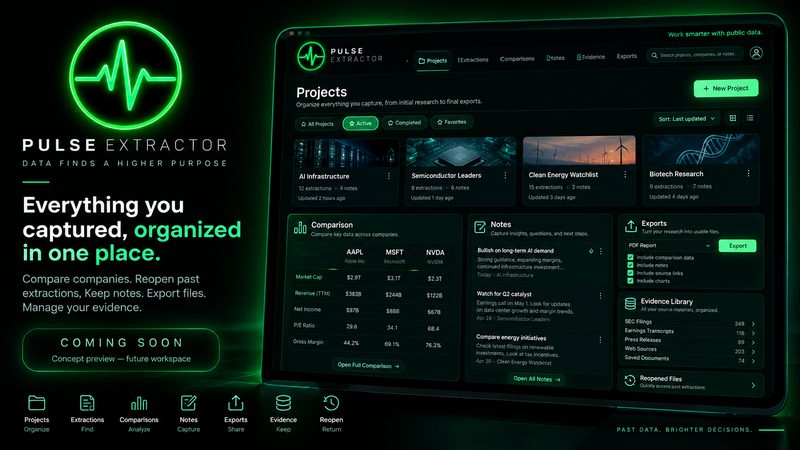
COMING SOON · PULSE WORKSPACE — FUTURE PLAN

From capture to workspace.

Today Pulse captures: you extract a page, research a company, snip the region that matters, and take the file away. What is missing is the place it all lands. Pulse Workspace is planned as that place: a persistent home for saved research, past extractions, Smart Snips, page captures, exports, notes and reusable knowledge, so the work you did last month is still there when it matters.

The extension stays how you capture. The Workspace is where what you capture accumulates.

  • Future plan

    Saved research dossiers

    Reopen a company you researched weeks ago with its evidence and sources intact, instead of running the research again from nothing.

  • Future plan

    Your own history

    Past Extract Page results, Smart Snips and full-page captures kept together, so a result you know you produced is a search away rather than lost in a downloads folder.

  • Future plan

    Projects and folders

    Group everything about one company, tender, market or study, including the pages, the snips, the exports and your notes, into a project that holds its shape.

  • Future plan

    Notes, tags and watchlists

    Your own thinking stored beside the evidence that prompted it, with favourites and watchlists for the organizations you keep coming back to.

  • Future plan

    Search across everything

    One search over your saved dossiers, extractions, snips, captures and files, so finding the source you half-remember is a query and not an archaeology project.

  • Future plan

    Compare and reuse

    Put companies, pages and documents side by side, and reuse the sources and evidence you have already gathered in the next piece of work.

Further out: reaching the same workspace from another device, and opening your own Pulse knowledge to an API or an agent. Direction, not a commitment.

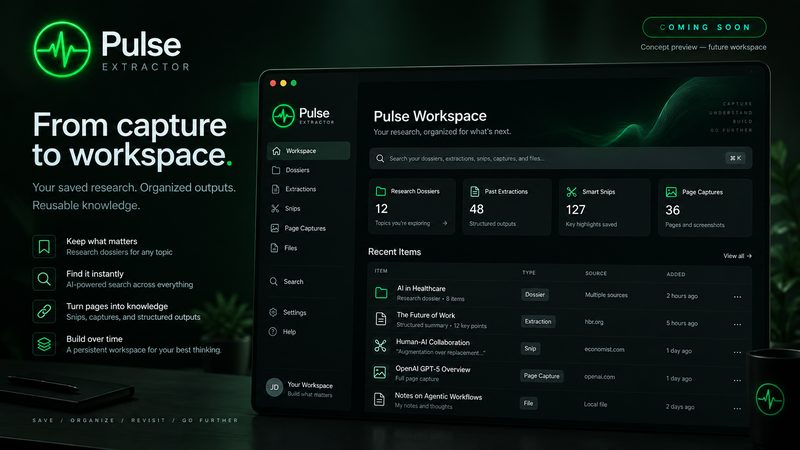
CONCEPT PREVIEW — FUTURE WORKSPACE Concept preview of a planned Pulse Workspace: a dark dashboard with counts of saved research dossiers, past extractions, Smart Snips and page captures, and a list of recent items, labelled COMING SOON — concept preview, future workspace
Concept preview — future workspace. A saved home for dossiers, extractions, snips and captures.
CONCEPT PREVIEW — FUTURE WORKSPACE Concept preview of a planned Pulse Workspace projects view: project cards with extraction and note counts, a side-by-side company comparison, a notes panel and an evidence library, labelled COMING SOON — concept preview, future workspace
Concept preview — future workspace. Projects, comparisons, notes and an evidence library in one place.

Concept preview: a planned future workspace. Interface and functionality may evolve, and nothing in these two pictures is part of Pulse today. The company names, figures and documents inside them are illustrative placeholders, never Pulse output: real Pulse runs, with the files they produced, are on the before & after page. What is live today is in the release section above.

The free plan

Real Pulse. Free. No card. No subscription.

The free plan is real Pulse, not a demo and not a trial that expires. It refreshes every month and includes a real Research run, so you can judge Pulse on real work.

  • 20 Smart Snips a month
  • 20 Page Extractions a month
  • 20 Full-Page Captures a month
  • 10 Professional Exports a month
  • 1 Research run, yours until you use it
  • Copy never counts, and extraction quality matches every paid plan
Add to Chrome — Free

When Pulse becomes part of your day, Starter makes extraction, capture and exports unlimited. Upgrade from inside the extension.

Simple plans

Free to start. Extract without limits on Starter.

Every plan gets the same extraction quality. Starter makes Page Extractions, Full-Page Captures and Professional Exports unlimited, with 100 Smart Snips a month. Pro and Intelligence make Smart Snip unlimited and add Research capacity.

FREE$0

Start doing real work with Pulse: 20 Page Extractions, 20 Full-Page Captures and 10 Professional Exports a month, plus 1 lifetime Research run. No card.

STARTER$12 each month

Extract without limits: unlimited Page Extractions, Full-Page Captures and Professional Exports, 100 Smart Snips a month and 15 Research runs a month. About 40 cents a day.

Questions, answered

Everything you need to start clearly.

Still stuck? Support is here.

What is Pulse Extractor?

Pulse Extractor is a Chrome extension that turns the webpage you're viewing into a clean, structured result. Smart Snip reads exactly the region you select, Research looks for relevant public evidence beyond the page, and Full-Page Capture saves the complete page as a high-resolution PNG or PDF. Results export to the formats your work already uses.

What does Pulse Extractor cost?

Free is real Pulse with no card and no subscription: 20 Page Extractions, 20 Full-Page Captures and 10 Professional Exports a month, 20 Smart Snips a month, and 1 lifetime Research run. Lite is $6.99 a month or $69 a year, with 100 Page Extractions, 100 Full-Page Captures and 100 Professional Exports a month, 60 Smart Snips a month and 3 Research runs a month. Starter is $12 a month and makes Page Extractions, Full-Page Captures and Professional Exports unlimited, with 100 Smart Snips and 15 Research runs a month. Pro is $29 a month with unlimited Smart Snip and 40 Research runs a month, and Intelligence is $59 a month with unlimited Smart Snip and 100 Research runs a month. Every paid plan is also available annually. See the pricing page for every allowance and the annual prices.

What's the difference between Extract Page and Research?

Extract Page structures the page you're currently viewing. It runs instantly and is included, unlimited, on Starter, Pro and Intelligence, with 100 Page Extractions a month on Lite and 20 a month on Free. Research goes further: it starts from that same baseline, explores high-value pages across the website, then checks relevant wider public sources, and is billed in Research runs.

How is Pulse different from a web scraper?

A scraper needs a tool to configure, selectors to write, a schema to design, and a cleanup pass afterwards. Pulse reads the page the way a person would and returns a clean structured result in one click, with no selectors, no schema and no code.

What websites does Pulse work on?

Pulse doesn't claim to work on every page; no system does. Pulse structures what it can verify from a page's real content and available public sources; some pages simply don't contain enough useful information.

What happens if Pulse cannot verify enough information?

Research returns an honest Insufficient evidence result rather than guessing, and that Research is not charged. Pulse would rather leave a field blank than invent a value it cannot verify.

What counts as a Research run?

A Research run is one completed, billable Research result. You're charged only when Research finds enough verifiable evidence to return a real SUCCESS or PARTIAL result; an Insufficient evidence result is never charged.

Does Extract Page use a Research run?

No. Research runs are used only for Research. Extract Page never consumes them, on any plan.

What is Smart Snip?

Smart Snip is live in the current Chrome Web Store version: select any region of a webpage and Pulse works out whether it is a table, text, a notice or an image, and gives you the formats that fit. Smart Snip Studio (crop, straighten, rotate, resize, annotate, highlight, blur, pixelate, redaction, watermark and undo, plus editable Word and PowerPoint replicas) is live in the same release. Since 0.5.8 it starts right on the page (Alt+Shift+S from the keyboard), reads English and several other languages, and opens PNG, JPEG, WebP and PDF files from your computer.

What is live in the current Chrome Web Store version?

Pulse Extractor 0.5.8: Extract Page, Research, Smart Snip (on the page, with Smart Range for content longer than the screen), Smart Snip Studio, Full-Page Capture (PNG or multi-page PDF), Scrollception for one scrolling panel, large web tables to Excel, multilingual text recognition, Open Local File, and Excel, Word, PowerPoint, PDF report, CSV, JSON, TXT, PNG, Copy and Download All exports. The release section above always shows what is live, and nothing else on this site is presented as live.

What is new in 0.5.8?

Smart Snip that starts on the page you are reading (and from the keyboard with Alt+Shift+S), Smart Range for content longer than the screen, Scrollception for one scrolling panel inside a page, one Word, one PowerPoint and one Excel file per result, large web tables as real Excel rows, multilingual text recognition, Open Local File for PNG, JPEG, WebP and PDF files, paste in and copy out with structure, and a guided first-run tour. All of it is in the version you can install today. See what is new.

What is coming in the next release?

Nothing is submitted behind 0.5.8. Planned work includes formula recognition, Focused Research, more text-recognition languages (including Urdu, Hindi, Persian and Turkish) and handwriting support. No date is promised. See the roadmap.

What is a Professional File Export?

A downloaded result file: Excel, Word, PowerPoint, PDF report, CSV, JSON, TXT or a Smart Snip image. Each file you download counts as one Professional File Export, and one Download All ZIP counts as one, however many files it contains. Free includes 10 a month; Starter, Pro and Intelligence export without limits.

Does copying a result count as an export?

No. Copy, Copy Text and Copy Image are always included on every plan, and viewing or editing a result never counts.

Does Full-Page Capture use a Professional Export?

No. Full-Page Capture has its own allowance: 20 a month on Free, unlimited on Starter, Pro and Intelligence. A capture's own PNG or PDF is part of the capture, and a capture never uses a Research run.

What happens after my 10 Free file exports are used?

Downloading result files pauses until your monthly allowance resets, with an option to upgrade. Everything else keeps working: your remaining Smart Snips, Page Extractions and Full-Page Captures, viewing your results, and Copy, Copy Text and Copy Image. A download that fails is never counted.

What happens when I reach a Free monthly limit?

Each Free allowance is separate: 20 Smart Snips, 20 Page Extractions, 20 Full-Page Captures and 10 Professional File Exports a month, plus 1 lifetime Research run. When one runs out, only that action pauses until your allowance resets, and everything you already made stays yours. Upgrading to Starter makes extraction, capture and exports unlimited immediately and raises Smart Snip to 100 a month.

Do unused Research runs roll over?

Unused monthly Research runs on Lite, Starter, Pro and Intelligence do not carry into the next cycle. Free's 1 lifetime Research run is the exception: it stays available until used.

Which export formats are supported?

Live today: Excel, Word, PowerPoint, PDF report, CSV, JSON, TXT and PNG (Smart Snip), Copy, and Download All (a ZIP with every available file). Every format is available on every plan; on Free, each downloaded file or Download All counts as one of 10 Professional File Exports a month, and copying never counts.

Does Pulse continuously improve?

Yes, release by release. Pulse is evaluated against difficult pages from the real web and the improvements ship in each extension release; Research runs on Pulse's servers, so Research improvements reach every installed version as they ship. Pulse does not claim to retrain models continuously: improvement comes from measured changes that are tested and released.

What happens when a Smart Snip result is imperfect?

Pulse keeps what it could not read reliably as the original pixels, or marks it for review, rather than guessing, so nothing is silently made up. You can still copy the exact image, edit the result, or download it. Every difficult page you tell us about helps decide what Pulse handles better next.

Which languages does Smart Snip support today?

English, Chinese (Simplified), Japanese, Russian, German, Spanish, French, Portuguese and Italian, with Arabic and Chinese (Traditional) in Beta. No recognition is perfect, so check important text against the original. Urdu, Hindi, Persian and Turkish are planned, not shipping, and handwriting is not supported.

Can Pulse find public business contacts?

Where the public evidence is available, Research can identify publicly available professional information such as roles, business emails, phones and contact routes.

Can Pulse find projects or procurement information?

Where the evidence supports it, yes. Research looks for public projects, contracts, and procurement or vendor-registration routes as part of the company dossier.

Does Pulse work with LinkedIn?

Pulse can work with information available in the page you're viewing and with publicly accessible web evidence. Access to third-party platforms may depend on what those services make available.

How are Research sources shown?

A Research result that supports a report export includes its own Sources section, so you can trace what it found back to where it found it.

How do I reset my password?

Click Forgot password on the sign-in screen in the extension and follow the emailed link to the password reset page.

Does Pulse store the webpages I extract?

No. Pulse is designed to avoid storing raw page content. See the Privacy Policy for exactly what is and isn't recorded.

Chrome extension · Available now

Your next webpage can become structured intelligence.

Add Pulse to Chrome, create a free account, and turn your first webpage into a structured result in under a minute. No card required.

Feedback