Research a company from its own website
See the business, not the page clutter. Pulse pulls company details, services and contact routes into one clean result, and can look beyond the page with Research.
Three steps.
- 01Open the company's website
- 02Click Extract Page for the current page, or Research to look across the relevant website and other public sources
- 03Review the company snapshot and export it
Watch it in action.

Research Companies & Websites
Gather public evidence and organize it into a structured research result.
In “Research Companies & Websites”: Pulse researches a real company from publicly available web information and organizes what it finds into a structured result with its sources.
Video previews do not contact YouTube until you press play. When you play a video, YouTube receives the normal information required to deliver the video. Playback uses YouTube's privacy-enhanced mode. All video tutorials
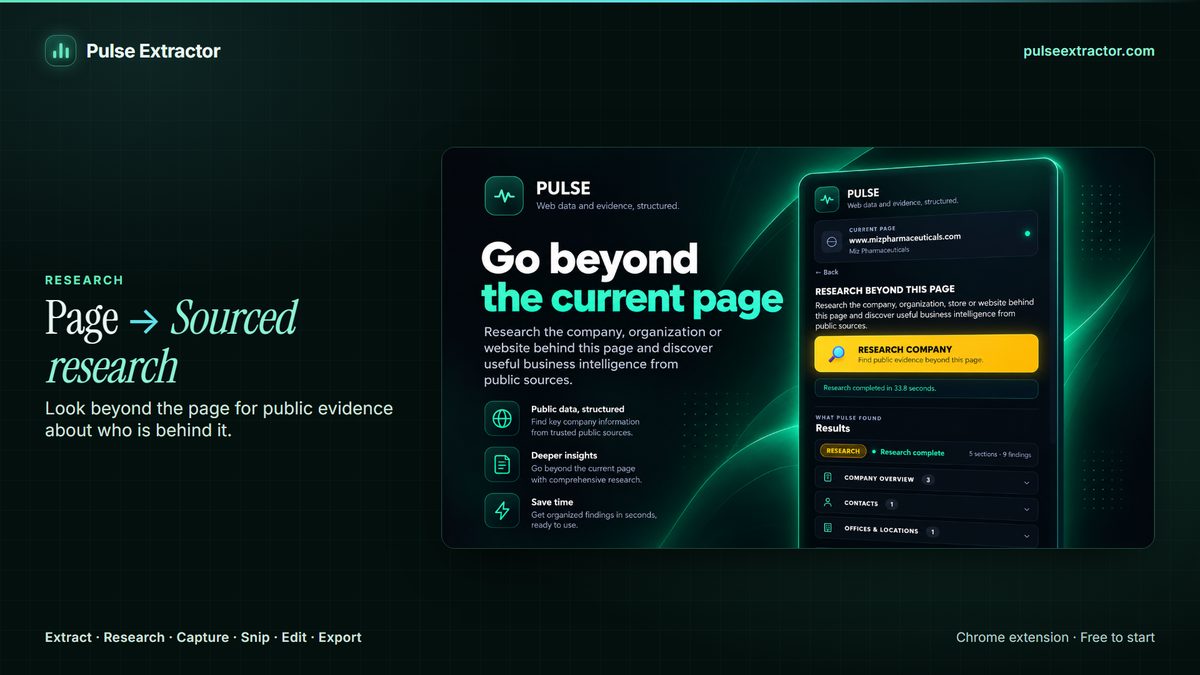
Research a company from its website, not from a database
A company website often spreads what you need (services, locations, contact routes) across several pages. Extract Page structures the page you're on; Research goes further, looking across the relevant website for related pages, people, offices and contacts, and adds what it finds to your result.
That covers the questions people usually open a company site to answer: what the business actually does, which service lines it runs, where its offices are, the projects and clients it publishes, and the contact route it wants to be reached on. Every field is traceable to the page it came from, so you can check it.
What does Pulse pull from a company website?
What the site actually states: what the business does, its service lines, its locations and the contact routes it publishes. Pulse reports what it can find and attribute, and tells you when the evidence is thin rather than filling the gap.
What's the difference between Extract Page and Research here?
Extract Page structures the single page you're viewing. Research starts from that page and looks further, across relevant pages of the company's own website and other useful public sources, then returns a combined result with its sources attached.
How is this different from a company database?
A database gives you a stored record about a company, assembled some time ago. Pulse reads the company's own website now and structures what it currently publishes. That makes it useful for companies too small, too new or too regional to sit in a database, and for checking what an organization says about itself today. It is not a substitute for a records provider, and it does not hold a list of companies you can search.
Can it find contact details?
It surfaces the contact routes an organization publishes publicly, such as a contact page, a general enquiries address or a listed office. It is a research tool working from public information rather than a contact database, so what you get depends on what the organization actually publishes.
How many companies can I research?
Research is metered in runs: Free includes 1 lifetime run so you can see the output, Lite 3 a month, Starter 15 a month, Pro 40 a month and Intelligence 100 a month. Extract Page is a separate allowance, unlimited on every paid plan.
Explore more.
Step by step: How to research a company online · Company research tool: research a company from its website
Reviewed by the people already using it.
Exactly what our office needed to speed up data collection. It’s straightforward & efficient. Great productivity booster.
Pulse Extractor saves our team a ton of time on web research. simple, fast, and genuinely useful..
Real published reviews, quoted exactly. Read them on the Chrome Web Store
Turn this page into a structured result.
Install Pulse, create a free account, and extract your first page in under a minute. No card required.