Capture a screenshot, edit it, and export it without leaving Chrome
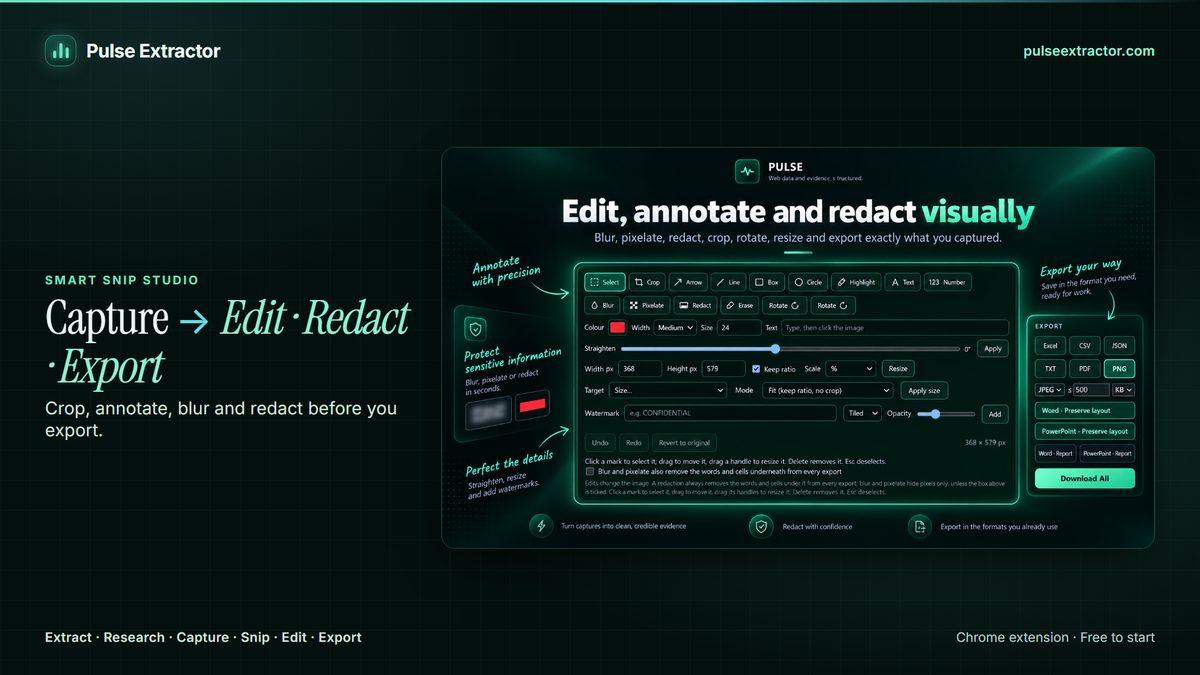
Snip any region of a webpage with Smart Snip and edit it in Smart Snip Studio: crop, straighten, rotate, resize, annotate, highlight, blur, pixelate, redact and watermark, with undo and the original always kept. Need the whole page instead? Capture Full Page saves it top to bottom.
- Live now in Pulse Extractor 0.5.8
- Free plan, no card required
- Runs in Chrome on the page you are viewing
Three steps.
- 01Click the Pulse icon, choose Smart Snip and draw a box
- 02Edit it in Smart Snip Studio: crop, annotate, blur or redact
- 03Download PNG or PDF, copy the image, or take its text to Word
Watch it in action.
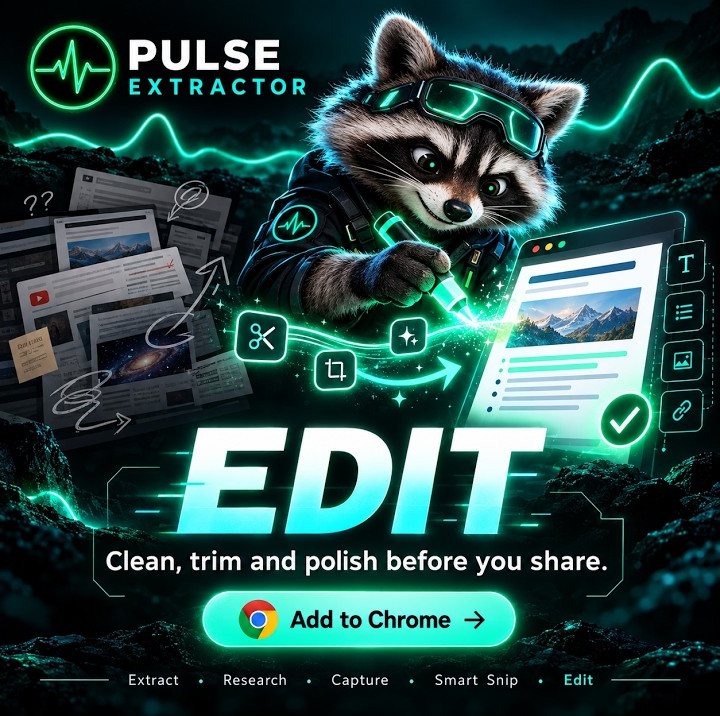
Edit Before You Export
Blur, pixelate, annotate, watermark and clean captured content before sharing.
In “Edit Before You Export”: The Smart Snip Studio edit panel on a snipped notice: watermark, pixelate, blur, highlight boxes and annotations before the result is exported or shared.
Video previews do not contact YouTube until you press play. When you play a video, YouTube receives the normal information required to deliver the video. Playback uses YouTube's privacy-enhanced mode. All video tutorials
A screenshot editor that also reads what you captured
Most screenshot work in a browser is a small chain of chores: capture, paste into an editor, crop, draw an arrow, blur a name, save, and then retype whatever text was in it. Pulse keeps that chain in one place. The snip opens in Smart Snip Studio, where the editing tools sit beside the export buttons, so the image you download is the finished one and the original is still there if you change your mind.
Because the same snip is read as well as pictured, an edit can carry through to the text. Tick one option in the Studio and blur and pixelate also remove the words and table cells underneath them from every export, so a hidden account number does not quietly survive in the Word file or the TXT. And when you need the words rather than the picture, the same selection exports as editable Word or PowerPoint, as TXT, or as an Excel table.
For a whole page, Capture Full Page scrolls the page and saves it as one high-resolution PNG or a multi-page PDF with natural page breaks. Pulse is a Chrome extension, so it captures webpages in Chrome rather than your desktop or other apps. Scrollception captures one scrolling panel inside a page, and Smart Range captures a start-to-end scroll range.
What comes out, and where it can go.
- PNG and Copy ImageThe edited image, to paste or save. Copying never counts as an export.
- PDFA document of the snip, or of the whole page with Capture Full Page.
- Word and PowerPointThe snip rebuilt as an editable document or slide, text and tables included.
- TXT and ExcelThe words in the screenshot, or its table as rows and columns.
Free to start. Pay when you need more.
No card for the free plan. Copying a result never counts against anything. Annual plans are also available on the pricing page.
- Free$0
- 20 Smart Snips a month
- 20 Page Extractions a month
- 20 Full-Page Captures a month
- 10 Professional Exports a month
- 1 lifetime Research run
- Lite$6.99/month
- 100 Page Extractions a month
- 100 Full-Page Captures a month
- 100 Professional Exports a month
- 60 Smart Snips a month
- 3 Research runs a month
- Starter$12/month
- Unlimited Page Extractions
- Unlimited Full-Page Captures and Professional Exports
- 100 Smart Snips a month
- 15 Research runs a month
- Pro$29/month
- Everything in Starter
- Unlimited Smart Snip
- 40 Research runs a month
- Intelligence$59/month
- Everything in Starter
- Unlimited Smart Snip
- 100 Research runs a month
Which editing tools are there?
Crop, straighten, rotate, resize, arrows, lines, boxes, circles, highlight, text, numbered markers, blur, pixelate, redact, erase and watermark, with undo, redo and revert to original.
Is the original kept?
Yes. Edits apply to a working copy; you can undo step by step or revert to the original snip at any time before you export.
Does blurring really hide the text?
It hides it in the picture. For the exports built from the text, tick "Blur and pixelate also remove the words and cells underneath from every export" in the Studio, and the Word, TXT and Excel files will not carry what the image hides either. Check the export before you share anything sensitive.
Can it capture a whole scrolling page?
Yes. Capture Full Page saves an ordinary website top to bottom as a high-resolution PNG or a multi-page PDF. A few app-style pages scroll inside an inner panel rather than the page; Scrollception captures that one panel.
Can it capture my desktop or other apps?
No. Pulse is a Chrome extension and captures webpages in Chrome. For the desktop or other applications, your operating system's own snipping tool is the right choice.
What does it cost?
Free includes 20 Smart Snips and 20 Full-Page Captures a month, with no card. Starter includes 100 Smart Snips a month and unlimited captures and exports; Pro and Intelligence make Smart Snip unlimited.
Explore more.
Step by step: Full-page capture as PNG or PDF · How to capture an entire webpage · Extract text from an image · Awesome Screenshot vs Pulse Extractor
Reviewed by the people already using it.
Exactly what our office needed to speed up data collection. It’s straightforward & efficient. Great productivity booster.
Pulse Extractor saves our team a ton of time on web research. simple, fast, and genuinely useful..
Real published reviews, quoted exactly. Read them on the Chrome Web Store
Snip, edit and export your next screenshot.
Install Pulse, create a free account, and edit your first snip in under a minute. No card required.