Go beyond the page with Research
Extract Page structures the page in front of you. Research goes further. It looks for relevant public evidence across the relevant website and other useful sources: related pages, people, offices, projects and contacts.
Three steps.
- 01Open a company or organization website
- 02Click Research instead of Extract Page
- 03Review the combined result and export it
Watch it in action.

Research Companies & Websites
Gather public evidence and organize it into a structured research result.
In “Research Companies & Websites”: Pulse researches a real company from publicly available web information and organizes what it finds into a structured result with its sources.
Video previews do not contact YouTube until you press play. When you play a video, YouTube receives the normal information required to deliver the video. Playback uses YouTube's privacy-enhanced mode. All video tutorials
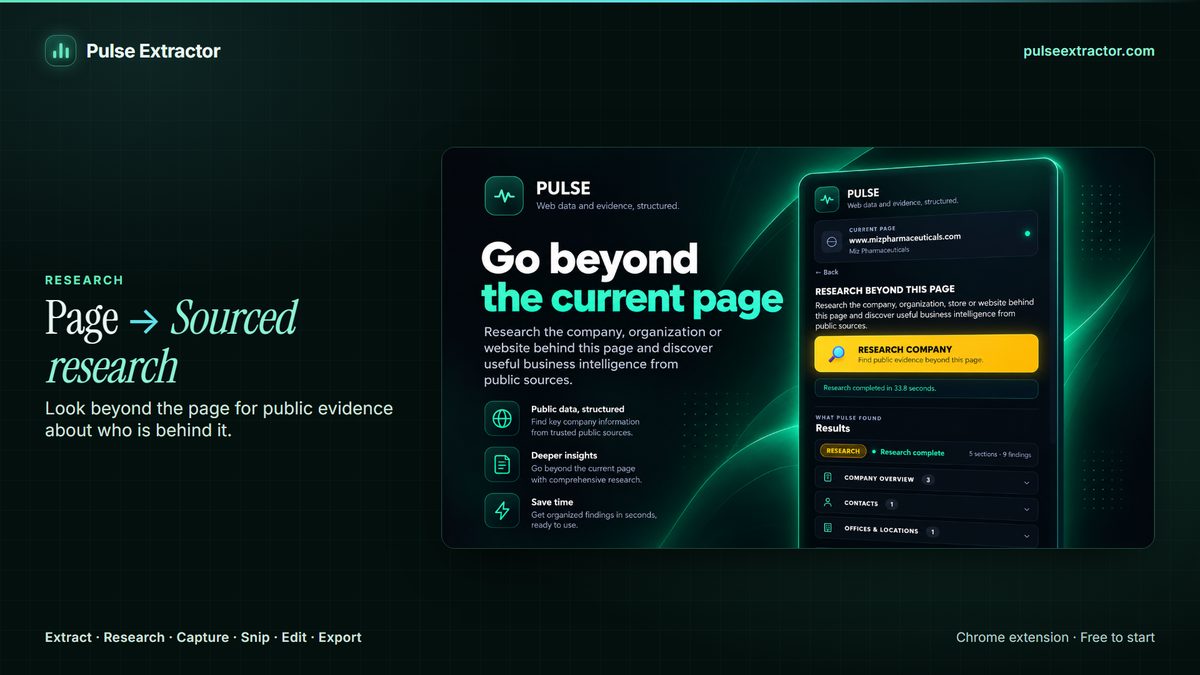
What happens between clicking Research and getting a result
Research uses 1 Research run for a completed, billable result. Free includes 1 lifetime Research run, Lite includes 3 Research runs a month, Starter includes 15 Research runs a month, Pro includes 40 Research runs a month, and Intelligence includes 100 Research runs a month. It never touches your Extract Page allowance, which is a separate count: unlimited on every paid plan, and 20 Page Extractions a month on Free.
Research starts from the page you are on, because that page already tells it who you are asking about. From there it looks for relevant pages across that organization's own website and other useful public sources, and assembles one result: sections built where the evidence supports them, with the source kept against each finding rather than pooled into a bibliography nobody reads. A finding you cannot trace is a finding you cannot use, so Research treats attribution as part of the answer, not as a footnote.
It also declines to pretend. Where the public evidence for something is thin, the result says so instead of filling the gap with a confident sentence, and a run that cannot assemble enough evidence to be useful is not charged against your allowance. That is the point of metering runs rather than pages: you are paying for a completed, sourced result, and an empty answer is not one. Extract Page stays on its own separate count throughout, so exploring with Research never eats into the extraction work you do every day.
When should I use Research instead of Extract Page?
Use Extract Page when the answer is on the page in front of you. Use Research when it isn't, and you need what the rest of the site or the wider public record says about the organization you're looking at.
Am I charged if Research comes back with nothing useful?
No. A run that cannot assemble enough evidence for a useful result is not charged against your allowance. Runs are metered on completed, sourced results, not on attempts.
Where does the evidence come from?
It starts from the page you are on, then looks across relevant pages of that organization's own website and other useful public sources. Each finding keeps the source it came from, so anything important can be checked.
What does a Research result contain?
A combined result built from the starting page plus what Research found elsewhere, organized into sections where the evidence supports them, with sources attached.
What does a Research run cost?
One run per completed, billable result. Free includes 1 lifetime run, Lite 3 a month, Starter 15 a month, Pro 40 and Intelligence 100. It never touches your Extract Page allowance, which is separate and unlimited on every paid plan.
Does it always find something?
No, and it says so. Where the public evidence is not there, the result comes back as insufficient rather than filled with guesses.
Reviewed by the people already using it.
Exactly what our office needed to speed up data collection. It’s straightforward & efficient. Great productivity booster.
Pulse Extractor saves our team a ton of time on web research. simple, fast, and genuinely useful..
Real published reviews, quoted exactly. Read them on the Chrome Web Store
Turn this page into a structured result.
Install Pulse, create a free account, and extract your first page in under a minute. No card required.