Convert a table image or screenshot to Excel
Some tables cannot be selected or copied: a screenshot, a scanned page, a chart embedded as a picture, a dashboard that renders to canvas. Draw a box around it and Pulse reads the figures and hands you a real .xlsx workbook.
- Live now in Pulse Extractor 0.5.8
- Free plan, no card required
- Runs in Chrome on the page you are viewing
Three steps.
- 01Open the page, PDF or screenshot showing the table
- 02Click Smart Snip and draw a box around it
- 03Download the Excel (.xlsx) export
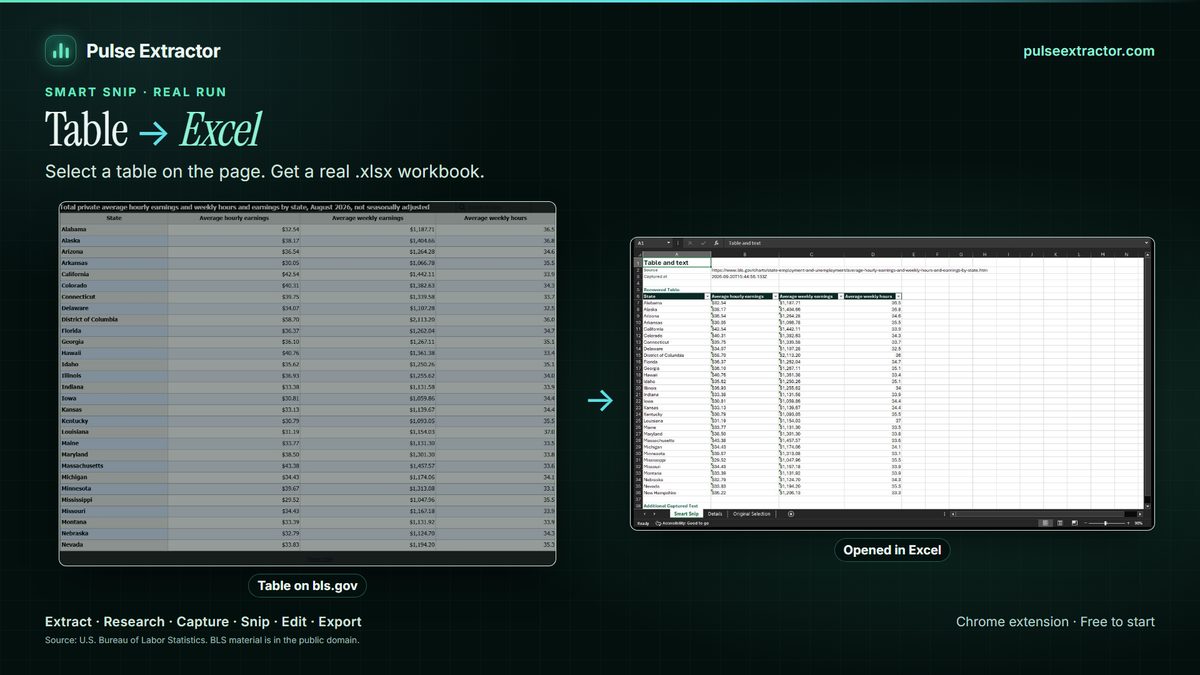
Read a table out of a screenshot, scan or chart image
Copying from an image is the part of the job that has no shortcut: you retype it, and then you check it. Pulse recognises the table inside the picture instead, rebuilding the rows and columns rather than returning a wall of text. The recognition runs inside the extension on your own computer, so the image never leaves it. What you get back is a genuine workbook with typed cells you can sort, filter and write formulas against.
This is the same Smart Snip that handles a region of ordinary web page, so you do not have to know in advance which kind of table you are looking at. Where a page offers real selectable text, Pulse uses it. Where it offers only pixels, Pulse reads them. Either way the export is the same clean .xlsx, with CSV and JSON available from the same snip when the next tool prefers them.
What comes out, and where it can go.
- Excel (.xlsx)Rows and columns rebuilt from the picture, as typed cells you can sort and total.
- CSV and JSONThe same table for an import screen or a script, from the same snip.
- Word and PowerPointAn editable table in a document or on a slide, when the figures are going into a report.
- Copy, TXT and PNGThe text, or the image itself. Copying never counts as an export.
Free to start. Pay when you need more.
No card for the free plan. Copying a result never counts against anything. Annual plans are also available on the pricing page.
- Free$0
- 20 Smart Snips a month
- 20 Page Extractions a month
- 20 Full-Page Captures a month
- 10 Professional Exports a month
- 1 lifetime Research run
- Lite$6.99/month
- 100 Page Extractions a month
- 100 Full-Page Captures a month
- 100 Professional Exports a month
- 60 Smart Snips a month
- 3 Research runs a month
- Starter$12/month
- Unlimited Page Extractions
- Unlimited Full-Page Captures and Professional Exports
- 100 Smart Snips a month
- 15 Research runs a month
- Pro$29/month
- Everything in Starter
- Unlimited Smart Snip
- 40 Research runs a month
- Intelligence$59/month
- Everything in Starter
- Unlimited Smart Snip
- 100 Research runs a month
Does the image leave my computer?
No. Smart Snip recognition runs inside the extension on your own machine. The picture you snip is not uploaded to Pulse to be read.
Will the numbers be right?
On a clear, reasonably sized table, figures come through accurately, and Pulse rebuilds the row and column structure rather than flattening everything into one column. Small, blurred, heavily stylised or very low-contrast text is harder, as it is for any recognition, so treat a scan of a scan as the difficult case and check the result. Pulse shows you what it read before you export it.
What about a table with no lines or borders?
Pulse infers columns from alignment rather than requiring ruled borders, so a borderless table usually still comes through as rows and columns. Very irregular layouts, such as a calendar grid or a table with many merged cells, are the ones most likely to need a correction, so check those before you rely on the result.
Is this different from a plain text-recognition tool?
A general text-recognition tool gives you the words. The structure, which number belonged to which column, is what you then have to rebuild by hand, and that is the expensive part. Pulse reconstructs the table itself and exports it as a workbook.
Can I get Word or PowerPoint instead?
Yes. Editable Word and PowerPoint replicas of a snip are live in Pulse Extractor 0.5.8, the current Chrome Web Store release, alongside Excel, CSV, JSON, TXT and PNG from the same selection.
How many can I do?
Free includes 20 Smart Snips a month with no card. Starter includes 100, and Pro and Intelligence are unlimited.
Reviewed by the people already using it.
Exactly what our office needed to speed up data collection. It’s straightforward & efficient. Great productivity booster.
Pulse Extractor saves our team a ton of time on web research. simple, fast, and genuinely useful..
Real published reviews, quoted exactly. Read them on the Chrome Web Store
Turn your next table image into a workbook.
Install Pulse, create a free account, and snip your first table in under a minute. No card required.