Turn a product page into a clean, structured result
Works across product and ecommerce pages, including Amazon and stores powered by Shopify and WooCommerce: title, brand, specifications, price and options pulled into one clean result.
Three steps.
- 01Open the product or store page
- 02Click Extract Page
- 03Review the result and export it
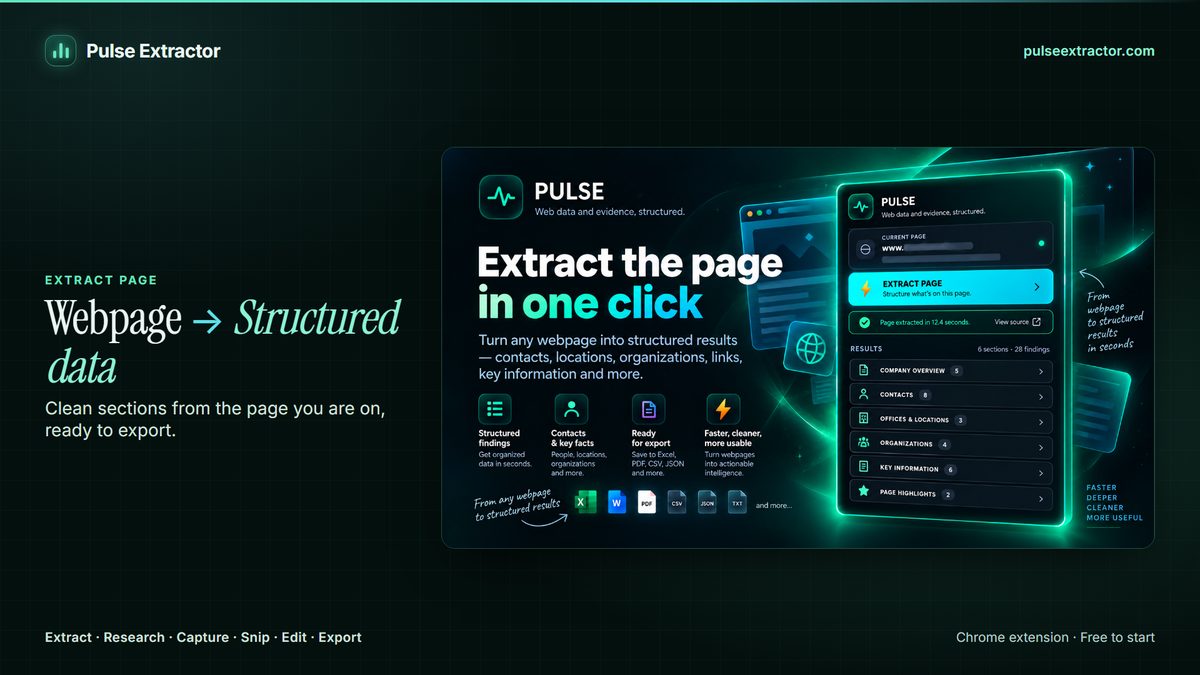
Read a product page without writing a rule for every store
Pulse reads the product page already on your screen and structures what it can verify (title, brand, specifications, pricing and options) into a clean, comparable result. It works across a wide range of product and ecommerce pages, including Amazon and stores powered by Shopify and WooCommerce. Pulse is an independent tool and is not affiliated with, endorsed by, or officially integrated with any of these platforms.
Most extraction tools ask you to describe a store before they can read it: this selector is the price, that one is the title, and a template per site to maintain when the store redesigns. Pulse works the other way round. It reads the rendered page you are already looking at, so a store it has never seen behaves like one it has, and a layout change does not send you back to edit a configuration. There is nothing to map, no schema to design and no per-site template that goes stale.
The other half of that is restraint. Pulse states what the page states and leaves the rest blank: a product with no listed brand comes back without one rather than with a plausible guess, because a blank cell can be filled in and an invented one quietly becomes wrong. When the detail you need is baked into a specification image rather than the page text, Smart Snip is the tool for that part, and the result joins the same exports as everything else.
Which stores does it work on?
It works across a wide range of product and ecommerce pages, including Amazon and stores powered by Shopify and WooCommerce, because it reads the page you have open rather than depending on a per-store integration. Pulse is an independent tool and is not affiliated with, endorsed by, or officially integrated with any of these platforms.
What does it capture from a product page?
Title, brand, specifications, price and the options the page lists, as far as the page actually states them.
Is this a bulk scraper?
No. Pulse works on the page you are actively viewing, one page at a time, when you click. There is no crawler and no queue of URLs running in the background.
Do I have to configure anything per store?
No. There are no selectors to write and no per-site template to keep up to date, because Pulse reads the rendered page rather than a description of the store. A redesign does not send you back to edit a configuration.
What happens to a field the page does not state?
It stays blank. A missing brand or an absent dimension comes back empty rather than filled with a plausible value, because an empty cell can be completed later and an invented one is simply wrong.
The specification is inside an image. Can Pulse read it?
That is what Smart Snip is for: drag a box around the table or the block of text in the image and Pulse works out what it is, then hands you the formats that fit. Smart Snip is live in 0.5.8 and reads English and several other languages.
Explore more.
Step by step: How to extract data from a website to Excel · How to collect website data without coding
Reviewed by the people already using it.
Exactly what our office needed to speed up data collection. It’s straightforward & efficient. Great productivity booster.
Pulse Extractor saves our team a ton of time on web research. simple, fast, and genuinely useful..
Real published reviews, quoted exactly. Read them on the Chrome Web Store
Turn this page into a structured result.
Install Pulse, create a free account, and extract your first page in under a minute. No card required.