Choose by volume and frequency. For a few pages now and then, use a browser extension that structures the page you are viewing, such as Pulse Extractor, or copy and paste. For one public table you want refreshed, use a spreadsheet import. For many pages on a schedule, use the site's own export or API, or a hosted no code data collection platform.
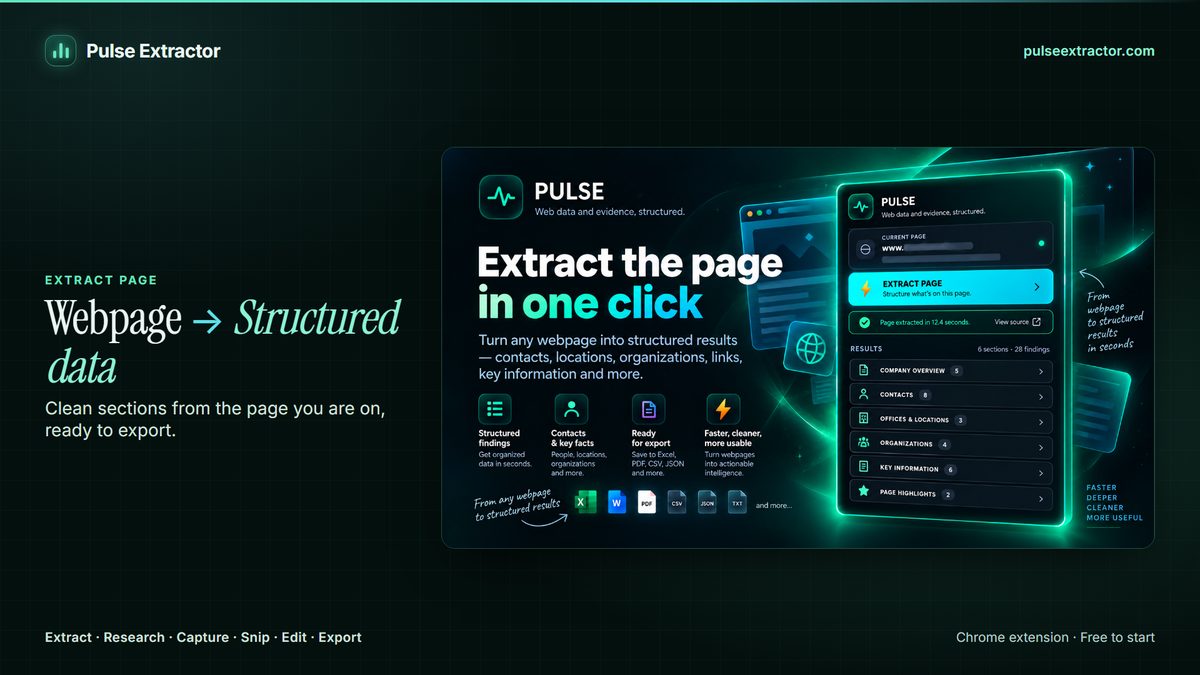
Watch it in action.

Turn Webpages Into Usable Data
Extract webpage content and turn it into clean, structured information.
In “Turn Webpages Into Usable Data”: Pulse reads the webpage in front of it, turns the content into a structured result and exports it, for example to Excel, CSV or JSON.
Video previews do not contact YouTube until you press play. When you play a video, YouTube receives the normal information required to deliver the video. Playback uses YouTube's privacy-enhanced mode. All video tutorials
Five questions before you choose
- How many pages? One, a dozen, or thousands.
- How often? Once, occasionally, or on a schedule.
- Is it behind a sign in? And are you authorized to reuse it?
- What shape is it? A table, a list of repeated items, one record per page, or long text.
- Where does it go? Excel, a shared sheet, a report, or another system.
The no code options
1. Official exports, APIs and open data
Check first. Many sites offer a download button, a data portal or an API. It is the most reliable source and the one least likely to break.
2. Copy and paste
Fine for a handful of rows. It stops being fine at the third page.
3. Spreadsheet import functions
Google Sheets offers IMPORTHTML for tables and lists, IMPORTXML for specific elements and IMPORTDATA for CSV files at a URL. Excel for Windows offers From Web through Power Query. They work on public pages with real table markup and can refresh, but they do not see content loaded by scripts or behind a sign in.
4. Browser extensions that read the page you are viewing
An extension such as Pulse Extractor runs in your own browser on the page in front of you, so there is nothing to configure per site. It suits varied, occasional work: a supplier list, a product page, a tender notice, a company website.
5. Hosted no code data collection platforms
Point and click tools that run in the cloud, follow many pages and repeat on a schedule. They are built for volume, and they ask for setup per site and upkeep when a site changes its layout.
Side by side
| Option | Volume | Setup | Refresh | Best for |
|---|---|---|---|---|
| Official export or API | Any | Varies | Yes | Anything the source already offers |
| Copy and paste | A few rows | None | No | One off snippets |
| Spreadsheet imports | A few public tables | A formula or query | Yes | A table you track over time |
| Pulse (browser extension) | Page by page | Install once | No | Varied pages, research, capture and exports |
| Hosted platform | Many pages | Per site | Scheduled | Large, repeated collection |
What the Pulse workflow looks like
- Add Pulse Extractor to Chrome from the Chrome Web Store and sign in with a free account. No card is required.
- Open the page and click the Pulse icon.
- Pick the action that fits:
- Extract Page structures the page: company details, contacts, products, tables, repeated records and useful links, where the page provides them.
- Research looks beyond the page, across the relevant website and wider public sources, when you need more about an organization.
- Smart Snip turns one selected region into a result: 20 a month on Free, 60 on Lite, 100 a month on Starter, unlimited on Pro and Intelligence. It is live in the current release.
- Capture Full Page keeps the whole page as a PNG or PDF.
- Export to Excel, a PDF report, CSV or JSON, copy the result, or use Download All for one ZIP with every available export.
There are no selectors to write, no schema to design and no workflow to build. Pulse works on the page you are actively viewing, when you click. It does not crawl a site, follow pagination on its own or run on a schedule.
When Pulse fits, and when it does not
Pulse fits when
- Your pages vary and you work through them as they come: a supplier list, a product page, a tender notice, a company website.
- You need to know more about the organization behind a page, not only what the page says.
- You want a record of the page itself as well as its data.
Use something else when
- You need bulk or scheduled collection. That is what exports, APIs and hosted platforms are for.
- The data has to flow straight into another system without a person in the loop.
- The source already publishes the dataset you need.
Collect responsibly
Being able to see a page does not by itself give you the right to reuse what is on it. Check the site's terms, respect sign ins, paywalls and other access controls, take care with personal information, and do not redistribute copyrighted work without permission. Pulse's Responsible Use page explains how that applies in practice.
Limitations of the extension approach
- Chrome only. Pulse is a Chrome extension, and Chrome extensions run in desktop Chrome rather than on phones.
- Not every page yields a result. Pulse structures what it can verify and leaves a field blank rather than inventing one.
- Capture on app-style pages. A few app-style pages, such as dashboards, web mail and chat apps, scroll inside an inner panel rather than the page itself. On those, Pulse currently captures what is on screen rather than the whole panel. Ordinary websites, including very long ones, capture top to bottom.
- Allowance. The Free plan includes 20 Page Extractions and 10 Professional Exports a month; Starter, Pro and Intelligence make both unlimited.
Questions
Is collecting website data without coding legal?
It depends on the data, the website's terms and the law where you are, not on whether you wrote code. No tool decides that for you. The Responsible Use page sets out what to consider.
Can Pulse run on a schedule?
No. Pulse works when you click, on the page you are viewing. For scheduled collection, use the site's export or API, a spreadsheet refresh, or a hosted platform.
Do I need an account to use Pulse?
Yes, a free account. No card is required, and the Free plan includes 20 Page Extractions, 20 Full-Page Captures and 10 Professional Exports a month, plus 1 lifetime Research run.